An evening that starts where you stopped.
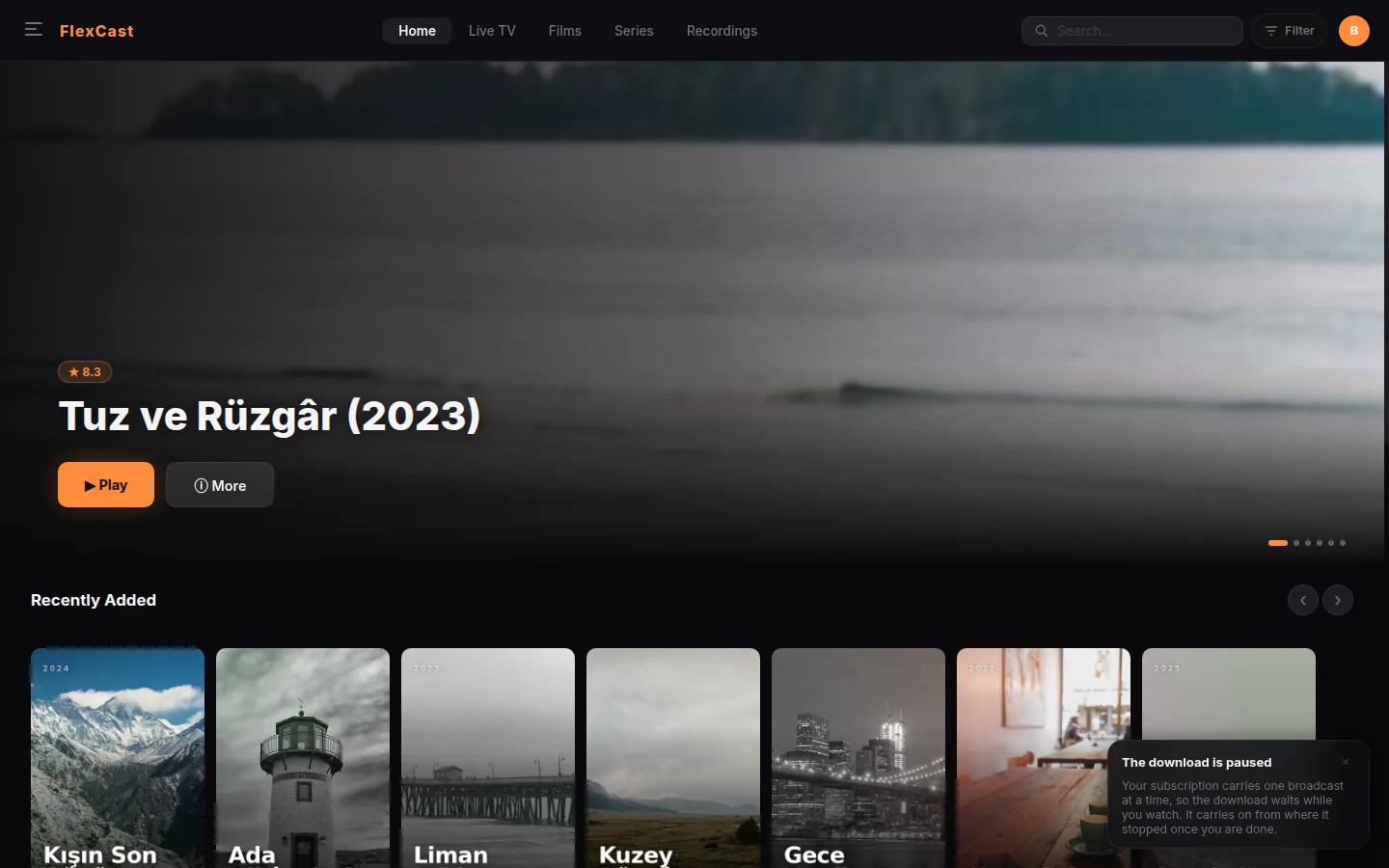
The home screen leads with what you were watching. Each card carries the actual frame you closed on and the minute you were at, so nothing black waits for you and nothing has to be found again.
For the IPTV subscription you already have
Playova plays the Xtream or M3U subscription you already pay for — with a programme guide that knows the time, recordings measured from the file, and a player that reopens on the frame you stopped on. Free to watch. A licence for the recorder.
Where it runs
We would rather write it here than have you find out after installing. The desktop versions are finished and downloadable; the others are being built on the same core and will appear on this page when they are real.
| macOS | Apple Silicon and Intel | Available |
|---|---|---|
| Windows | 10 and 11, 64-bit | Available |
| Linux | AppImage and .deb | Available |
| LG and Samsung televisions | webOS and Tizen | Coming |
| Android TV and Google TV | Coming | |
| iPhone and Android phones | Coming |
The screens
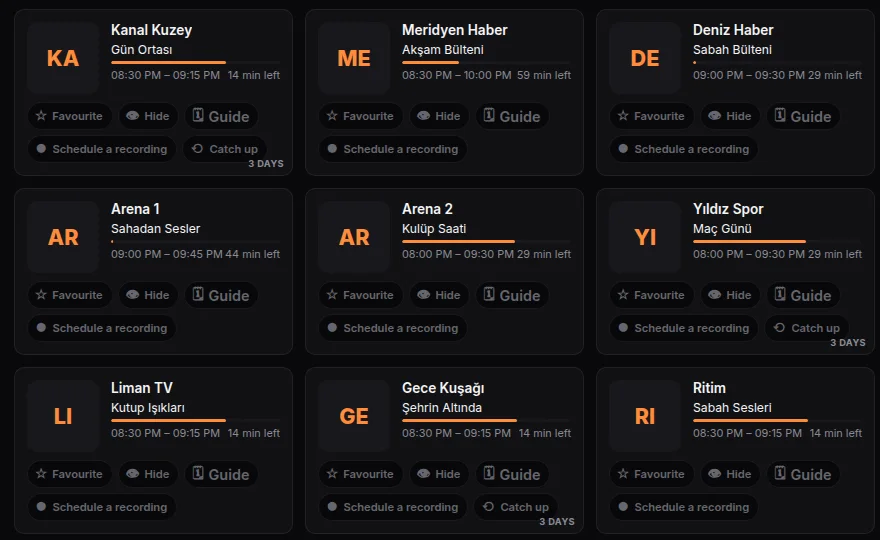
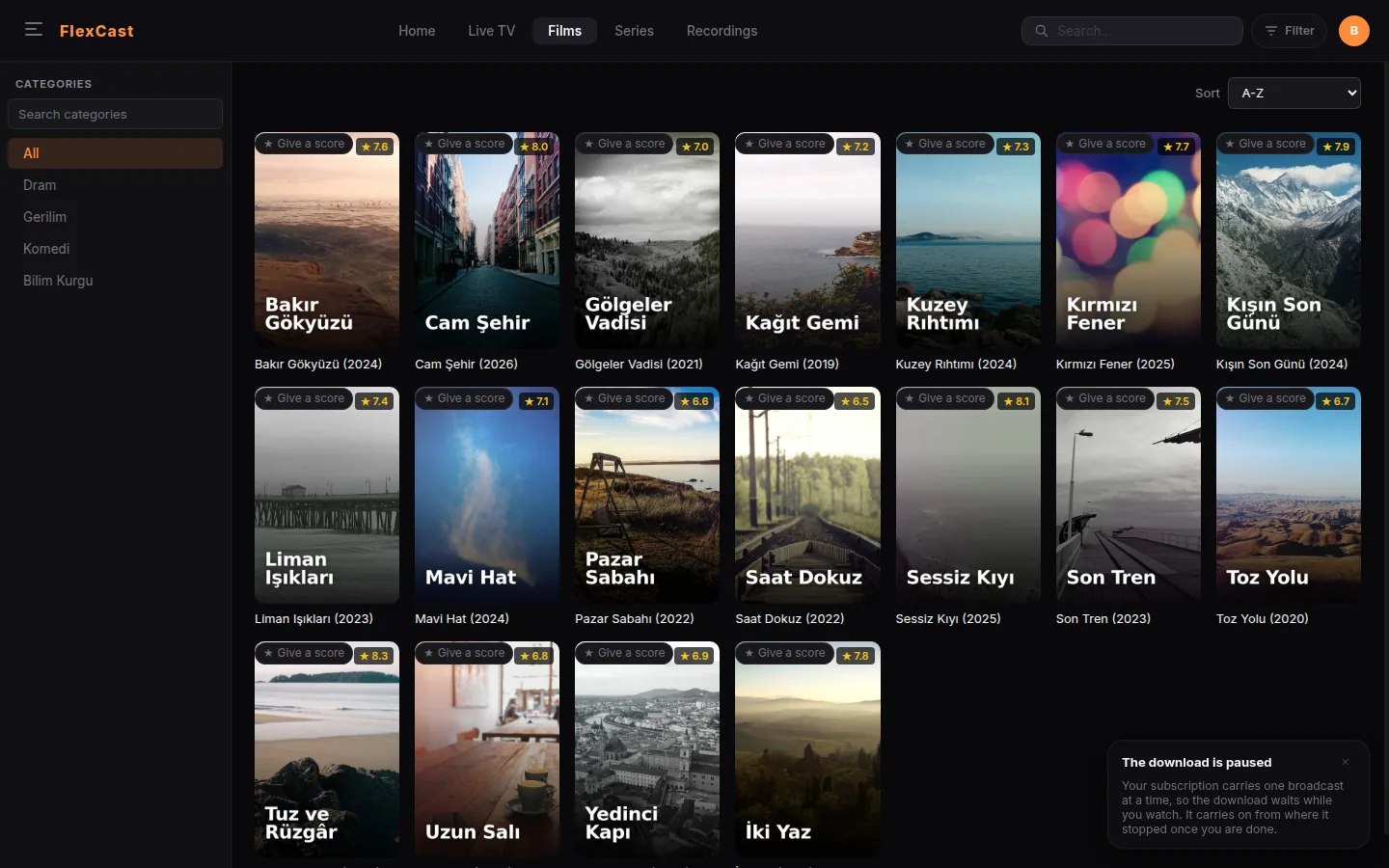
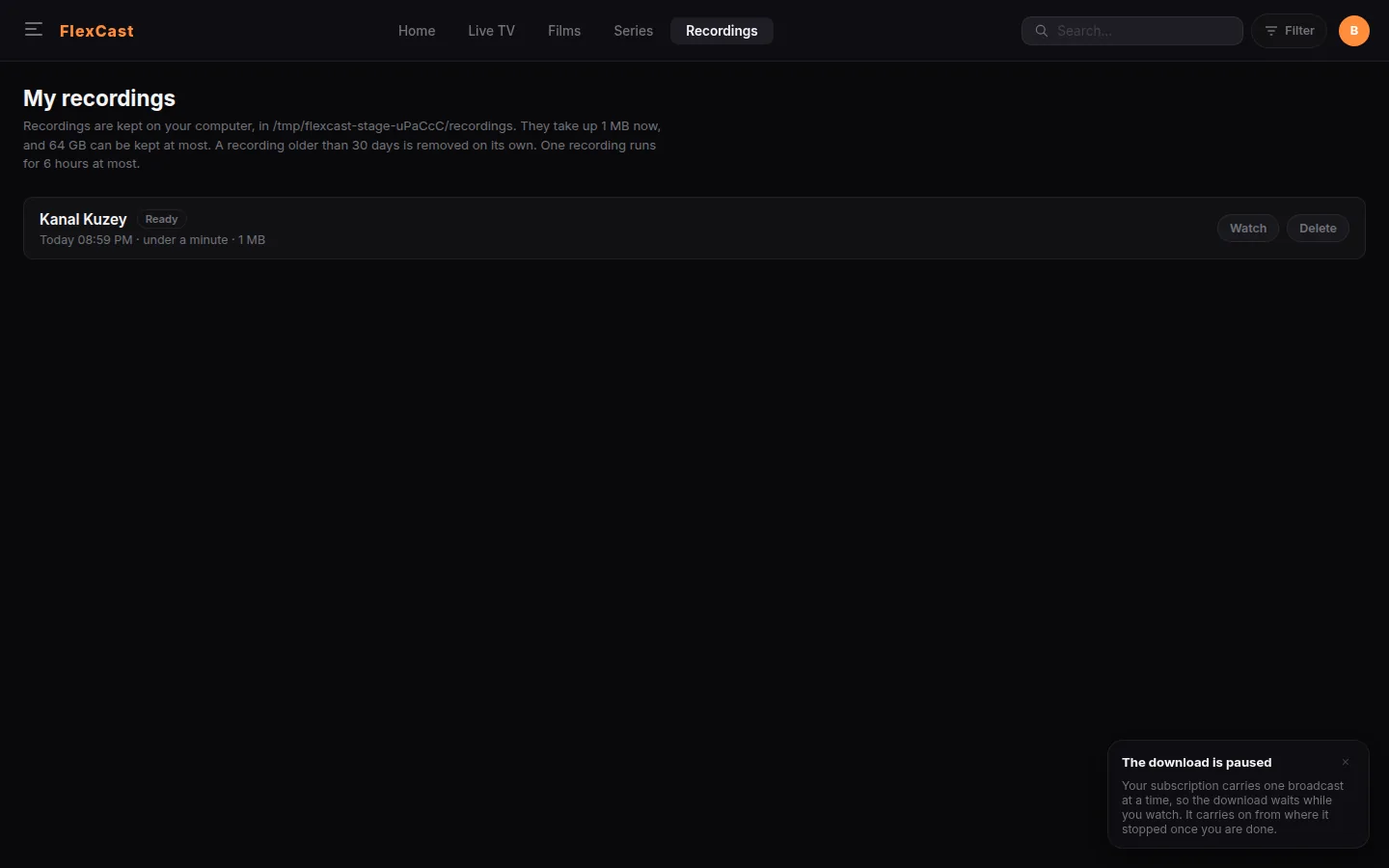
These are real screens of the application, taken against a demonstration catalogue. Every title, channel and poster in them was made up for the picture — Playova carries no channels and no artwork of its own.
The home screen leads with what you were watching. Each card carries the actual frame you closed on and the minute you were at, so nothing black waits for you and nothing has to be found again.
Channels with a programme guide show what is on and what follows. The ones with no guide can be hidden instead of discovered one by one. Where the provider keeps an archive, catch-up sits right in the listing.
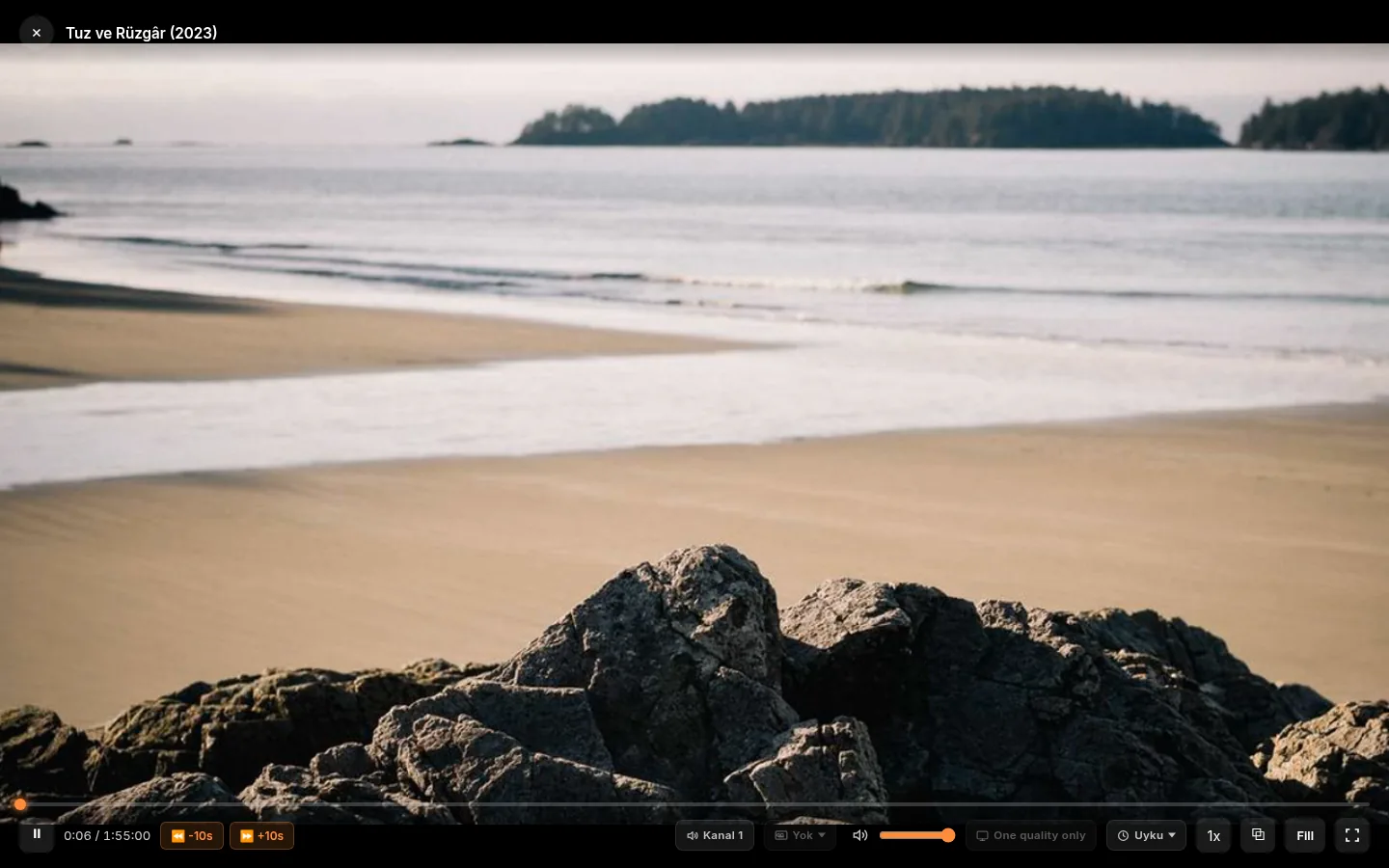
Audio and subtitles follow the profile language. Rewind live television from a rolling buffer, start a recording with one button, step down to a lighter version of the same stream when the line narrows.
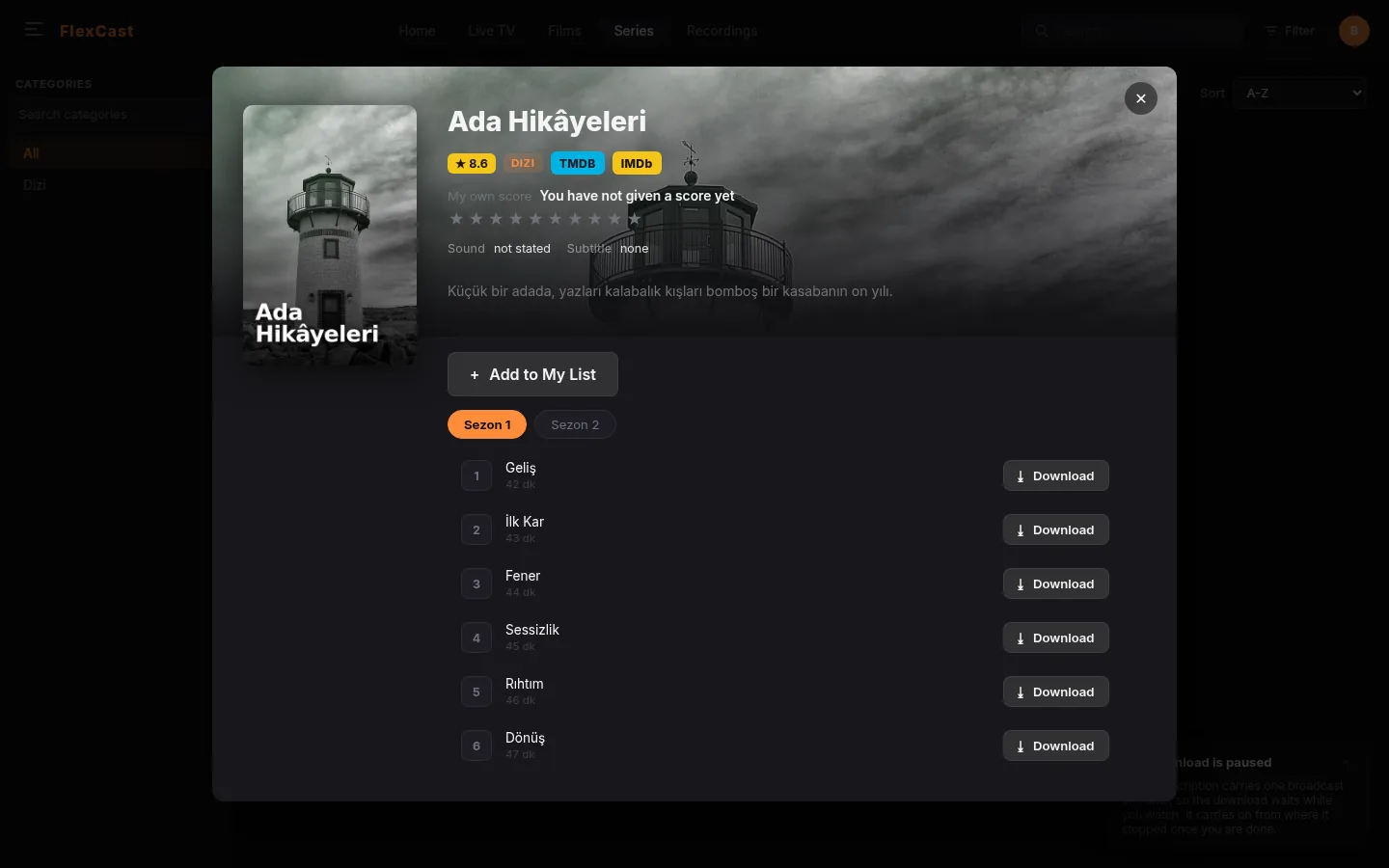
Films and series arrive with their artwork and their year, sorted the way you ask, with the categories your provider gave them down the side. Hide a category once and it stays hidden on every screen.
Everything it does
Every feature the application has today, grouped the way the screens are. The short films are the application itself, recorded against the demonstration catalogue; nothing in them is staged.
Star a channel and the guide can show only the ones you starred.
One button, and it is gone from every screen until you bring it back.
Starts thirty seconds early, ends two minutes late, says so if the computer was asleep.
What is on and what follows, with a filter that hides channels that have no guide at all.
Where the provider keeps an archive, yesterday’s programme sits right in the listing.
An open channel writes to a rolling buffer so the goal can be taken back. Off by default, and then no buffer process runs at all.
One button while you watch; the length is measured from the file, not from a clock.
When the line narrows it offers the same channel in a smaller version, if the provider has one.
Subtitles carried inside the broadcast are turned into text you can read.
It warms the channel you are likely to open next, so it opens faster.
Films, series and channels as you type, in every language the interface speaks.
A series opens on the next episode; each one keeps where you stopped.
A closed title comes back at the minute and on the frame you stopped on. Nothing black waits in between.
Audio and subtitles follow the profile language; your own choice is remembered per title.
Queue a title, watch the percentage, set the disk limit yourself. It opens on a plane too.
If a smaller file of the same title exists, it offers that instead of re-encoding on your machine.
One to ten, beside the title, per profile.
Put a title aside for later; the list is per profile.
What arrived in the last thirty days, across your subscriptions.
The TMDB and IMDb pages open inside the application, with a way back.
Ten seconds either way; a fill mode for pictures with black bars.
Changing a track or seeking keeps the last frame on screen until the new picture arrives.
Pausing keeps the connection and writes ahead until a five-minute buffer is full.
Frames harvested while you watch show on the seek bar where you are scrubbing to.
Playback speed, a sleep timer, and subtitles as large as the sofa needs.
Multichannel audio is passed through when the stream and the machine can.
Recordings started by hand and by schedule land together, with their real length.
A schedule that ran while the computer slept is marked missed rather than invented.
A queue with percentages and a cancel button, and a disk limit you set.
Each person gets a language, a history, a list and a score of their own.
Adult categories sit behind a PIN, and deleting a PIN-locked profile asks for it too.
A profile that only sees what it should, and cannot lift the rule by itself.
Larger type, a focus ring, and a remote-control path through every screen.
The interface speaks sixteen languages, right-to-left ones included.
Follows the system, or your choice.
Sources side by side; the same one cannot be saved twice.
Catalogue, artwork and guide come from a local copy; browsing never spends a stream.
What a provider allows is measured once and remembered, so features switch on where they work.
The address a stream was last found at is kept for a while, so a seek does not start from the panel.
When an import fails you see the reason, and what already arrived is kept.
Both kinds of subscription, including playlists that carry only channels.
The thing nobody mentions
Some subscriptions allow one simultaneous stream, others sell you two or four, and the number is the provider’s to set. What is yours is how those streams get spent. A player that opens a second connection to fetch a poster, probe a channel or refresh a guide is spending one of them on housekeeping — and if you only had one, the picture you were watching dies. Playova spends your connections on what you are watching and nothing else: the catalogue, the artwork, the guide and the frame you left on all come from its own local copy.
Where it sits
Only things that can be checked are compared here, and each cell was checked against the other player’s own feature list. Which computers a player runs on, what it can do with a guide, and what it was built for are facts; which one has the nicer interface is not, so it is not in the table.
| Playova | TiviMate | IPTV Smarters | Kodi | VLC | |
|---|---|---|---|---|---|
| Built for an IPTV subscription (Xtream / M3U) | yes | yes | yes | in part | no |
| Runs on macOS, Windows and Linux | yes | no | in part | yes | yes |
| Phone, tablet or smart TV app | coming | yes | yes | yes | yes |
| Programme guide with catch-up from the provider’s archive | yes | yes | yes | yes | no |
| Records from the guide, on a schedule | yes | yes | in part | no | no |
| Pause and rewind live television | yes | yes | in part | yes | no |
| Offline downloads of films and episodes | yes | no | no | no | no |
| Reopens on the frame you left, not just the minute | yes | no | no | no | no |
| Spends your provider line only on what you watch | yes | — | — | — | — |
● yes · ○ no · ◐ in part, or only on some devices · ◌ coming · — not something it sets out to do
Read two rows before the others. Playova has no phone or television app yet — they are being built, and until they exist TiviMate on a television box or Kodi on anything is the better answer if that is what you need today. And the cells marked “in part” are not a slight: IPTV Smarters records on Android but not on a computer, and Kodi plays a subscription through an add-on rather than out of the box.
What it costs
No advert, no time limit, no card to watch. The licence pays for what writes to your disk, what reaches back into the week, and what more than one person uses.
Free
for as long as you use it
9.99 USD a year
one account, five computers
Your account
Watching is free and stays free. Recording, offline downloads and rewinding live television are the part a licence opens. The account is an email address and a password — nothing else is asked.
The address is only used when you forget the password and when you buy. The same account signs you in on this site and inside the application, so a licence bought here opens there.
Questions
No. Playova is a player and nothing else — it carries no channels, no subscription and no content. You enter the Xtream Codes or M3U details of a subscription you already pay for, and it plays that.
Because something else spent your connection. How many simultaneous streams you get is set by your provider — some sell one, some sell four. A player that opens a second connection to fetch a poster, probe a channel or refresh a guide spends one of them on housekeeping, and if that was the one you were watching on, the picture stops. Playova serves the catalogue, the artwork and the guide from a local copy, so your connections go to what you are watching.
Not yet. Today Playova runs on macOS, Windows and Linux. Versions for LG and Samsung televisions, Android TV and phones are being built on the same core, and they will be listed on this page the day they can be downloaded — not before.
No. There is nothing to host and no server process to keep running. The application carries the media libraries it needs and talks to your provider directly.
The real application, opened against a demonstration catalogue made for the pictures. The channel names, film titles and posters in them are invented; the moving picture behind the player is a generated colour field. Playova hosts no channel artwork and no content of anyone’s.
Yes, as long as the computer is on. Schedule it from the guide: the recording starts thirty seconds early, ends two minutes late, and if the computer was asleep at the time it says the schedule was missed rather than pretending.
Watching is free and stays free — no advert, no time limit, no card. Recording, offline downloads and rewinding live television are what a licence opens; the price and what it covers are on the pricing page.
Download
Nothing to host and no server to run. The app carries its own core.
The application is not notarized yet, so macOS calls it damaged and offers only “Move to Bin”. Until that changes, four steps:
xattr -dr com.apple.quarantine /Applications/Playova.app
chmod +x Playova-*.AppImage && ./Playova-*.AppImage
If you use Homebrew
brew install --cask playova-app/tap/playova
Picks the right build for the machine, clears the quarantine flag, and says how to start it when it is done.
If you prefer the Terminal
curl -fsSL https://playova.app/install.sh | bash
Finds the right build, downloads it, checks its size, and installs it — into Applications on a Mac, into the menu on Linux. It never asks for a password.
Coming to
They will be listed here the day they can be downloaded. Your account will already work on them.